Autocad is an essential tool for civil engineers. With a fews years using experince with it, the familiar settings environment is highest priorty to me. I always use the below settings for using Autocad after installation
Typye op for Settings
Profiles tab
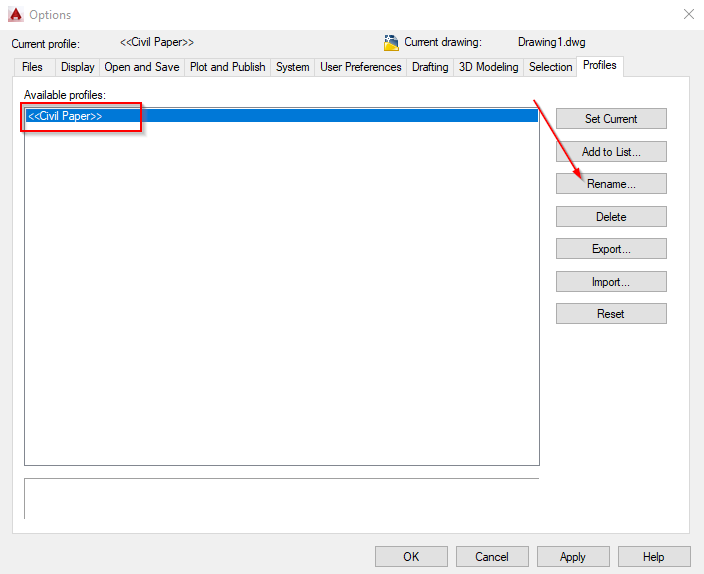
Change name to Civil Paper. We will export the Settings for backup
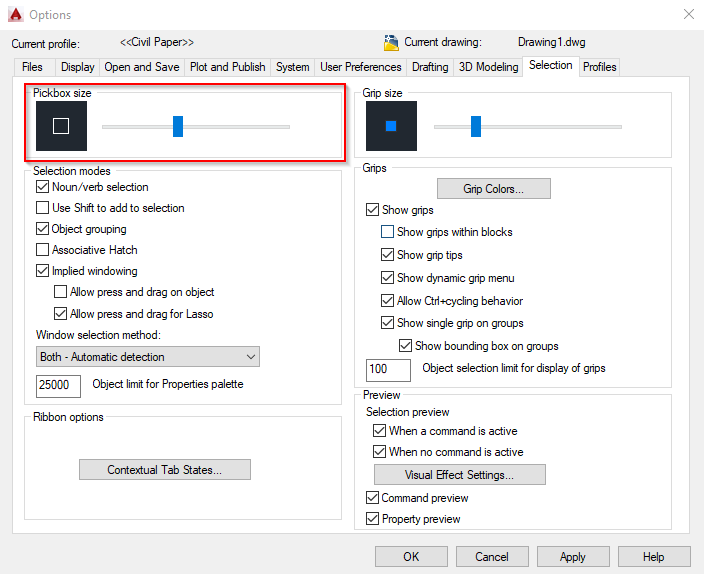
Selection tab
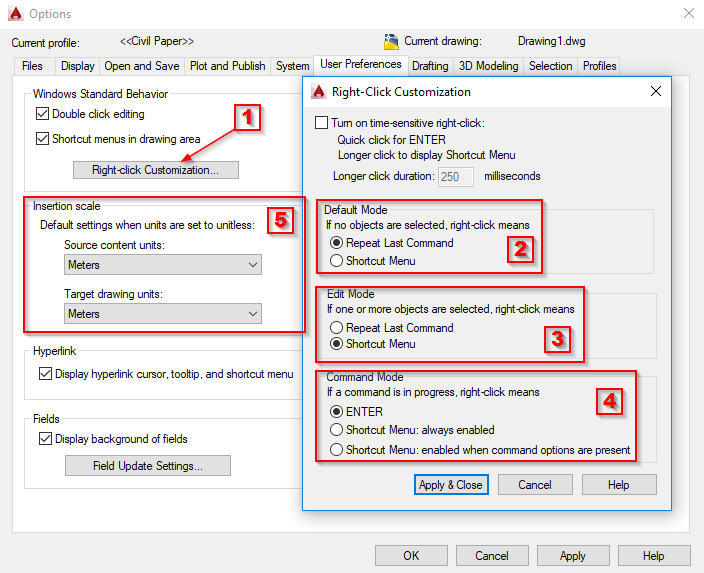
User Preferences tab
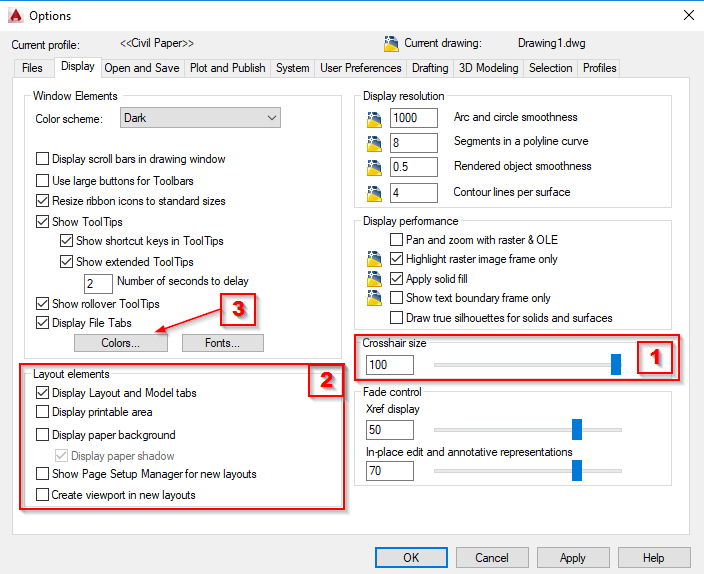
Display tab
I wanna change the crosshair size, layout elements and working window colors
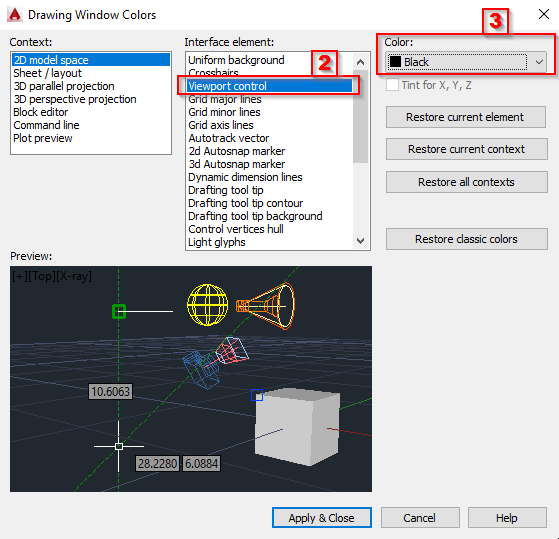
change the drawing window colors to black